Quantcast
Channel: Andy in the Cloud
Viewing all 127 articles
Browse latest View live

Updated GitHub Deploy Tool : Sandbox Support

$
0
0

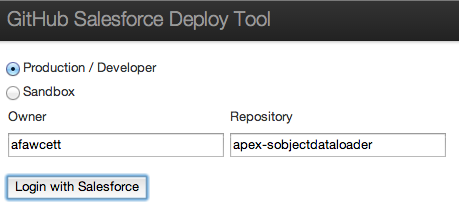
I’ve added support to select either Sandbox or Production (Developer) login, there is now a main page where you can enter the owner and repository name manually. If passed in the URL these fields will be populated automatically.

loginpagesfdeploy

The original URL format is still supported, but only deploys to production

https://githubsfdeploy.herokuapp.com/app/githubdeploy/afawcett/apex-sobjectdataloader

To generate a URL that will only deploy to sandbox

https://githubsfdeploy-sandbox.herokuapp.com/app/githubdeploy/afawcett/apex-sobjectdataloader

To generate a URL that will display the above page and give the user the choice.

https://githubsfdeploy.herokuapp.com/?owner=afawcett&repo=apex-sobjectdataloader

To display the main page without any default owner or repository simply use this..

https://githubsfdeploy.herokuapp.com/

Enjoy!


Spring’14 Pre-Release : Updating Layouts in Apex

$
0
0

The upcoming Spring’14 Metadata API brings with it some great new architectural features.

  • Ability to create, update and delete immediately without having to callback for the result
  • Ability to read Metadata without having to use retrieve and unzip the response!
  • Ability to rename Metadata components
  • Plus a host of new Metadata types and extensions to existing

The most exciting for me is the first two, first up the ability to greatly simplify the use of the API, particularly in Apex. As per a previous blog post I covered the requirement to poll for the results of certain API operations via the checkSync and checkDeploy methods. Which involved the use of either Batch Apex or apex:actionPoller. Many posters on this blog and the GitHub repo found this awkward to code.

These original operations still exist and I’ll continue to support them, but we now have some much much easier variants that simply return immediately the result. Here is an example showing the new readMetadata operation in action!

		// Read the layout
		MetadataService.Layout layout =
			(MetadataService.Layout) service.readMetadata('Layout',
				new String[] { 'Test__c-Test Layout' }).getRecords()[0];

		// Add a button to the layout
		layout.customButtons = new List<String>{ 'googleButton' };

		// Update the layout
		List<MetadataService.SaveResult> result =
			service.updateMetadata(new MetadataService.Metadata[] { layout });

With a true read facility in the API, imagine the possibilities with the Layouts alone, such as merging layouts, dynamically adding or removing buttons, fields, sections from a selection of layouts the user selections. If your developing a packaged application, providing a means to upgrade your users layouts and picklists automatically!

No Batch Apex, no apex:actionPoller to be seen! Its still early days and the official docs have not been announced, but from what I’d expect from how the readMetadata operation is designed, you’re going to be able to retrieve other types as well, such as ListView, Reports etc. Suddenly creating Setup wizards has become much easier, as well as custom Setup reporting tools, for example retrieving all the layouts and dumping the fields used in a Custom Object for reporting!

No More Zip File Handling!

The other really exciting thing here is we finally don’t need the help of JSZip JavaScript library to extract Metadata information from a retrieve operation call. While I’m still quite pleased with how i managed to abstract this. i’m very pleased that we can now read Metadata in none Visualforce contexts, such as Batch Apex or Apex Triggers.

Automating the Changes to the Generated Code

As always the code generated by the platform via the WSDL2Apex ‘Generate Apex from WSDL‘ button didn’t quite generate the Apex needed. Each time I refresh the Apex wrapper I have had to manually apply the changes to get it working again. This time i invested some time to write a script, written itself in Apex, that will parse the generated code and patch it with the required changes. It uses a customer Iterator to read the lines of code and the Tooling API to update the Apex class when its done.

Working around xsi:type

Once again the use of xsd:extension in the Metadata API proved to be a challenge in getting the readMetadata operation to work. Since as I found before this XML Schema construct is not readily supported by WSDL2Apex or the Apex XML bindings at runtime. The main weakness is the lack of interpretation of the xsi:type attribute, which identifies which Metadata type (e.g. CustomObject, Layout etc) the XML represents. As soon as I tried the readMetadata operation it gave an error as it tried to de-serialise the Layout, into the base Metadata type (which only contains fullName).

To get things to work I had to create some new Apex classes representing the responses from the readMetadata operation for each of the Metadata types. Fortunately the new script i developed can be taught to generate these for me! I’ll eventually post more on the changes to get the readMetadata operation working on the GitHub repo Readme.

Spring’14 is around the corner!

I’ll formally update the library once Spring’14 has been rolled out to the production servers in February. Until then you can download the MetadataService.cls and MetadataServiceExamples.cls classes from this Gist here. You can try it out in your pre-release orgs if you like. I’ll also post a few more fancy examples as well.


Querying Custom Object and Field IDs via Tooling API

$
0
0

There are quite a few blogs describing a means to build Salesforce URL’s to standard pages for creating records, that can be applied to Custom Buttons in order to pre-populate field values when a user clicks a button. For example replacing the New button on a Related list.

IMPORTANT NOTE: The URL format Salesforce uses for the standard UI is not a supported API and thus subject to change. Though it has become quite common practice in order to improve the usability of the standard UI.

Making things a little more Robust

Other than URL format assumption, there is an area of further fragility shared amongst the solutions I’ve seen to-date. Which is how to obtain and manage the custom field Id’s needed on the URL’s (since they don’t take field API names). Either via discovering these manually or dynamically via using REGEX parsing of the HTML source code of the Salesforce standard pages. Although there is a Salesforce IdeaExchange submission to have Salesforce expose these Id’s via Apex Describe, it apparently has not been addressed… or so it would seem that is….

Tooling API support for Custom Object and Custom Fields

Probably the least obvious aspect of the Tooling API is its ability to actually query (via REST or SOAP) the CustomObject and CustomField objects (which are not accessible via Apex SOQL). As we know every object in Salesforce has an ID, this got me wondering if in this case its the same ID’s needed by the approaches used above. And thus if so, would serve as a more supported and less risky means to obtain the custom field Id’s. I have also wanted to start building out a Apex wrapper for the Tooling API for a while now. The following Apex code shows the library in action…

// Constructs the Tooling API wrapper (default constructor uses user session Id)
ToolingAPI toolingAPI = new ToolingAPI();

// Query CustomObject object by DeveloperName (note no __c suffix required)
List<ToolingAPI.CustomObject> customObjects =
     toolingAPI.queryCustomObject('DeveloperName = \'Test\'').records;

// Query CustomField object by TableEnumOrId (use CustomObject Id not name for Custom Objects)
ToolingAPI.CustomObject customObject = customObjects[0];
Id customObjectId = customObject.Id;
List<ToolingAPI.CustomField> customFields =
     toolingAPI.queryCustomField('TableEnumOrId = \'' + customObjectId + '\'').records;

// Dump field names (reapply the __c suffix) and their Id's
System.debug(customObject.DeveloperName + '__c : ' + customObject.Id);
for(ToolingAPI.CustomField customField : customFields)
     System.debug(
          customObject.DeveloperName + '__c.' +
          customField.DeveloperName + '__c : ' +
          customField.Id);

This results in the following list of fields and Id’s against my test custom object…

00:27:38.845 (845882069)|USER_DEBUG|[45]|DEBUG|Test__c : 01IG00000021cXoMAI
00:27:38.846 (846249350)|USER_DEBUG|[47]|DEBUG|Test__c.A_Number__c : 00NG0000009Y0I9MAK
00:27:38.846 (846305290)|USER_DEBUG|[47]|DEBUG|Test__c.Colours__c : 00NG0000009prwyMAA
00:27:38.846 (846328856)|USER_DEBUG|[47]|DEBUG|Test__c.Date__c : 00NG0000009BrnxMAC
00:27:38.846 (846513094)|USER_DEBUG|[47]|DEBUG|Test__c.Message__c : 00NG0000009Y0IOMA0
00:27:38.846 (846535746)|USER_DEBUG|[47]|DEBUG|Test__c.MultiPick__c : 00NG000000AcULrMAN
00:27:38.846 (846558753)|USER_DEBUG|[47]|DEBUG|Test__c.MyCheckbox__c : 00NG0000009Y5C8MAK
00:27:38.846 (846741056)|USER_DEBUG|[47]|DEBUG|Test__c.RichText__c : 00NG0000009XaRJMA0
00:27:38.846 (846816183)|USER_DEBUG|[47]|DEBUG|Test__c.Text__c : 00NG0000009prxwMAA

Summary

This blog serves as a means to demonstrate an initial starting point for a Apex wrapper around the Tooling API (the GitHub repo has the full code with tests to deploy direct via the usual link). Be sure to setup the appropriate Remote Site setting for the Tooling API end point (easiest way is to run the code and note the URL given in the exception). Finally a means for for the various authors of the solutions above to update their code. Enjoy!


Spring’14 Visualforce Remote Objects Introduction

$
0
0

Salesforce have provided further support for JavaScript in the upcoming Spring’14 release. With a new flavour of the popular Visualforce Remoting facility. Visualforce Remote Objects is a pilot feature I have been trying out in a pre-release org. It’s aim is effectively to make performing database operations, like create, read, update and delete in JavaScript as easy as possible without the need for Apex, and without consuming the orgs daily API limits. This blog introduces the feature and contrasts it with its very much still relevant Visualforce Remoting brother.

Consider a master detail relationship between WorkOrder__c and WorkOrderLineItem__c. The first thing you need to do is declare your intent to access these objects via JavaScript on your Visualforce page with some new tags.

	<apex:remoteObjects >
	    <apex:remoteObjectModel name="WorkOrder__c" fields="Id,Name,AccountName__c,Cost__c"/>
	    <apex:remoteObjectModel name="WorkOrderLineItem__c" fields="Id,Name,Description__c,Hours__c,WorkOrder__c"/>
	</apex:remoteObjects>

The following JavaScript can now be used to access the JavaScript objects the above automatically injects into the page (note that while not shown there is further control over object and field naming, i used the defaults here).

It is an async API, so you provide a function call back to handle the result of the operations (create, update, delete and select are supported), it does not throw exceptions. In the example below if the insert of the Work Order master record is successful the child is then inserted. Note the event parameter actually contains the Id of the inserted record.

		function doSomethingJS(answer)
		{
			// Create work order
			var workOrder = new SObjectModel.WorkOrder__c();
			workOrder.set('AccountName__c','Hitchhikers.com');
			workOrder.set('Cost__c', answer * 100);
			workOrder.create(function(error, result, event)
				{
					// Success?
					if(error == null)
					{
						// Create work order line item
						var workOrderLineItem = new SObjectModel.WorkOrderLineItem__c();
						workOrderLineItem.set('Description__c', 'Answering the question');
						workOrderLineItem.set('Hours__c', answer);
						workOrderLineItem.set('WorkOrder__c', result[0]);
						workOrderLineItem.create(function(error, result, event)
							{
								// Errors?
								if(error!=null)
									alert(error);
								else
									alert('Success');
							} );
						return;
					}
					// Display error
					alert(error);
				} );
		}

As per the documentation, this means you no longer need an Apex controller to do this. You can also query using this object model as well, as per this the pre-release documentation querying a Wharehouse object. However before we cast aside our Apex thoughts, lets look at what the above would like implemented via a Remote Action.

		function doSomethingApex(answer)
		{
			// Create work order and line item via Apex
			Visualforce.remoting.Manager.invokeAction(
				'{!$RemoteAction.RemoteObjectDemoController.doSomething}',
				answer,
				function(result, event){
					alert(event.status ? 'Success' : event.message);
				});
		}

The following Apex code implements the remote action.

	@RemoteAction
	public static void doSomething(Integer answer)
	{
		WorkOrder__c workOrder = new WorkOrder__c();
		workOrder.AccountName__c = 'Hitchhikers.com';
		workOrder.Cost__c = answer * 100;
		insert workOrder;
		WorkOrderLineItem__c workOrderLineItem = new WorkOrderLineItem__c();
		workOrderLineItem.Description__c = 'Answering the question';
		workOrderLineItem.Hours__c = answer;
		workOrderLineItem.WorkOrder__c = workOrder.Id;
		insert workOrderLineItem;
	}

On the face of it, it may appear both accomplish the same thing, but there is a very important and critical architecture difference between them. To help illustrate this i created a page to invoke both of these options. Screen Shot 2014-01-22 at 08.48.56

Screen Shot 2014-01-22 at 09.03.07While also creating a strategically placed  Validation Rule on the Work Order Line item, one which would fail the insert if anything other than 42 was entered in the UI.

So given the validation rule in place, lets perform a test.

  1. Ensure there are no Work Order records present
  2. Enter an invalid value, say 32, click the buttons, observe the expect error
  3. Correct the value to 42, click the button again and observe the outcome on the database.
  4. The expected result is one Work Order record with a single Work Order Line Item record.


Testing the ‘Do Something (Apex)’ Button

After going through the test above, the button initially gives the error as expected…

Screen Shot 2014-01-22 at 09.00.05

When the value is corrected and button pressed again, the result is this…

Screen Shot 2014-01-22 at 08.54.07

The test passed.

Testing the ‘Do Something (JavaScript)’ Button

Going through the tests again, this button initially gives the error as expected…

Screen Shot 2014-01-22 at 09.00.25

When the value is corrected and button pressed again, the result is this…

Screen Shot 2014-01-22 at 08.56.54
While Visualforce Remote Objects technically performed as I believe Salesforce intended, this functional tests expectation failed. Since we have two Work Order records, one with no Work Order Lines and one that is what we expected. So why did this additional rogue Work Order record get created, what did we do wrong?

The answer lies in the scope of the database transaction created…

  • In the Visualforce Remote @RemoteAction use case the platform automatically wraps a transaction around the whole of the Apex code and rolls back everything if an error occurs, you can read more about this here.
  • In the Visualforce Remote Objects use case the database transaction is only around the individual database operations not around the whole JavaScript function. Hence by the time the Work Order Line Item fails to insert the Work Order has already been committed to the database. The user then corrects their mistake and tries again, hence we end up with two Work Orders and not one as the user expected.

Since Apex transaction management is so transparent most of the time (by design), its likely that the same assumption might be made of Remote Objects, however as you can see its not a valid one. Those of you that know core thoughts on patterns will also be thinking something else at this point, that presents a potentially even more compelling reason to be watchful over what logic you implement this way…

Separation of Concerns

As you may have gathered by now if you’ve been reading my blog for the last year, my other passion is Apex Enterprise Patterns. A key foundation of this is Separation of Concerns or SOC for short. SOC sees us layer our code so that aspects such as business logic are located in the same place, easily accessible and reusable (not mention easily testable) from other existing and future parts of our applications, such as API’s, Batch Apex etc.

While the above example is not that complex it illustrates when code in your JavaScript layer might start to become business logic and if so something you should ideally (if not solely for the reason above) consider keeping in your Service Layer and accessing via JavaScript Remoting @RemoteAction.

Summary

Despite this new feature the use of Visualforce Remoting with @RemoteAction Apex should still very much factor in your decision making.  And nor despite the issue above should we necessarily let the lack of transaction management count against our use of Visualforce Remote Objects either.

For sure this will become the best and lightest way to perform rapid client side querying without impacting API limits, and I am sure the alias feature (see docs) will be welcome to those preferring more elegant AngularJS or other bindings. All very nice! Furthermore if you are developing client logic that is essentially doing simple record editing then by all means let your Apex Triggers (Domain Layer) do its job and enforce the validity of those records.

Just keep in mind when your starting to write more and more JavaScript code that is orchestrating the updating, inserting or deleting of a set of  related records, you really need to be sure be sure you and your testers understand the transaction scope differences between the two approaches described here or switch over to Apex and let the platform manage the transaction scope for you. Finally its worth keeping in mind if you don’t have a client side automated testing strategy your automatically adding manual testing overhead to your backlog.

The full source code for this blog can be found here.

Other Notes and Observations

Here are some final points of note, given this is still pilot hopefully of use to Salesforce as feedback.

  • It does buffer requests to the server like Visualforce Remoting, very cool!
  • It does not complain when you set the wrong field or get the name wrong, like SObject.put and SObject.get do, maybe to be expected, though since we gave it the field list might have been nice?
  • It differs slightly from Dynamic Apex, it uses SObject.put, here WorkOrder__c.set is used
  • Success is expressed in ‘error’ being null, not quite what i expected, and different from Visualforce Remoting.
  • It does not implement field defaulting
  • Errors need to be hanlded by callbacks (as per VF Remoting), though by default errors are not emitted to the JavaScript console like Visualforce Remoting
  • References to fields on via the apex:remoteObjectModel fields attribute do not seem to surface as dependencies on the fields, which would be good given how soft references within the JavaScript are.

New Release: Spring’14 Declarative Rollup Summary Tool

$
0
0

blog_chart1Well it has been under development for few weekends now, but I’m finally announcing the latest release of this tool. But before I go into the details of installing it and whats in it, i want to thank everyone who has shared feedback and encouragement with me via tweets, GitHub and comments on the original post, all of which has been a huge motivation for me!


This release completes the feature set i set out in my original post as well as some bug fixes.

  • New Feature: Scheduled calculation mode (alternative to the existing Realtime mode)
  • New Feature: Calculate button to run a full rollup calculation on existing data
  • New Feature: Developer API, for embedding calculations in existing Apex Triggers
  • Bug Fix: Realtime mode, improved optimisation to monitor rollup criteria fields and re-parenting

The tool now also has its own Application in the drop down containing the original tab and a new one.

RollupToolSpring14

New Feature : Scheduled Calculation Mode

For those that prefer to differ the lookup calculations, perhaps for performance or governor reasons (see below), you can now choose Scheduled from the Calculation Mode field. This requires a small Apex Trigger as per the previous release, it’s super easy, no developers required, just click the Manage Child Trigger button.  Then simply schedule the job using the standard Schedule Apex button under Setup then Apex Classes, the Apex Class is RollupJob.

Once this mode is enabled, you will see the new related list, Lookup Rollup Summary Schedule Items (as shown above) will fill up as child records are added, deleted or updated (only when lookup referenced fields are modified) with a list of parent records that are effectively queued up ready for the scheduled job to process. Once processed successfully they will be removed automatically.

If there are any errors (other triggers, validation rules etc preventing the master records being updated) you will see these in the new tab Lookup Rollup Summary Logs. Once you correct these you can remove the log entry or wait for the next scheduled execution and the log entry will automatically be removed for the effected parent record.

ScheduledErrors

Tip: Add a Workflow Email Action to this object if you want to monitor log entries against certain objects.

New Feature: Calculation of existing Records

If you implement this tool and there are existing records in your objects, you can now use the Calculate button to start a background job to retrospectively calculate the rollups (time this accordingly to your user activity). Its also useful if your changing the rollup criteria or have deactivated and are now reactivating your rollup for some reason.

RunCalculateThe button will start a job to select ALL of the records in the parent object (due to platform restrictions applying the child filter criteria), however the rollup criteria will still be applied as the rollups are calculated. If there are any issues during this process the above Lookup Rollup Summary Logs tab will list these errors, as with the scheduled mode, correct the errors and delete the log entries manually or rerun the calculate process.

New Feature: Developer API

RollupAPIIf you have developers writing Apex Triggers or other Apex processes where you would like the rollups recalculated, you can have them call the Developer API. Simply select Developer from the Calculation Mode field and any lookups that are related to the child records passed into the API will be calculated automatically (the developer does not need to know or ask you for the rollups themselves, meaning you can continue to declaratively add or update them afterwards).

The main API, is the rollup method as shown below. Though there is also API’s to invoke the Calculate and Schedule jobs. The triggerHandler method is really for use by the Apex Triggers generated by the Manage Child Triggers button. Though if your in a Apex Trigger context it will work equally well from your triggers also.

List<Opportunity> opportunities =
    [select AccountId from Opportunity where Id in :myOpportunityIds];
List<SObject> parents = (List<SObject>) dlrs.RollupService.rollup(opportunities);
update parents;

NOTE: As minimum the relationship fields must have been included in the query before passing the children to the API. Also keep in mind if you have multiple parent rollups the list of SObject’s returned will be a mix of SObject types.

Advanced Relationship Criteria Handling

CriteriaFieldsAs an optimisation the tool will only attempt to recalculate rollups if relevant fields (such as those in the Field to Aggregate or Relationship Field fields) have been modified by the user (or if a child record is added or deleted). In this new release if references to other fields are made in the Relationship Criteria field, such as the example shown here, you must also ensure to specify the field/s in the Relationship Criteria Fields field. So the tool can also monitor these fields as being changed by the user. In the example used in this blog it means that if the AccountId, Amount or the StageName fields are changed on the Opportunity by the user, the Account rollup will be recalculated (this applies to Realtime and Scheduled modes).

Installation and Upgrade

As before the full source code for the tool is open source and available via the GitHub project, however if you have installed via the previous managed package you can now upgrade to obtain the new features above. All installation links and release history can be found here. There are some post installation steps to enable some new components. If your installing for the first time you can skip these.

  1. Add the Calculate button to the layout
  2. Add the Relationship Criteria Fields and Calculate Job Id fields to the layout (as shown above)
  3. Add the Lookup Rollup Summary Schedule Items related list to the layout (as shown above, remove the New button and make Parent Id and Parent Record fields visible)
  4. Depending on the security options you took during install, you may need to enable the Declarative Lookup Rollup Summaries application and Lookup Rollup Summaries Logs tab on relevant profiles / permission sets.


Dealing with the 50k Aggregate Query Limit

If you hit this limit its likely due to the fact that you have a LOT of child records related to  some or an average most of your parent records your rolling up on. Another reason, especially if your hitting this in Realtime mode, it maybe because you have to many rollups defined to one parent (though the tool attempts to merge rollup calculations, its not always possible). In this case switching to Scheduled mode for those effected lookups is the next thing to try.

If your already running in Scheduled mode or having a governor issue with the Calculate facility, you can try reducing the number of parent records processed at a time by these jobs. For this you will find under Custom Settings, the Declarative Rollup Summary Tool settings, the default for both the scope size settings is 100 parent records, try adjusting it downwards, the jobs may take longer (more chunks to process) as a result but they will stand a better chance of completing within the current platform query governor.

Feedback and Issues

Feedback, ideas etc via comments below most welcome, please report any issues via the GitHub issues page.


Clicks not Code with Visual Flow Custom Buttons

$
0
0

officehoursI attended an MVP Office Hours event last Friday which has lead to this blog. If your not aware this a weekly event run by fellow MVP’s Jarrod Kingston and Joshua Hoskins, which is a kind of open hour for anybody to pose admin or developer related questions to the MVP community. Last weeks was a great learning event for all involved, i would recommend dropping by, even if its just to ease drop, though there is no reason to be shy!

One question that was raised, was as if a Workflow Rule defined on an Opportunity Product Line could be started via a Custom Button at the Opportunity level. When clicked would effectively update the lines to run the Workflow Rule, in this case an Email Workflow. Ideally without JavaScript or having to resort to Apex. So can record, create, read, update and delete be done in a code free way? Read on...

FlowUpdateBeing very excited about the possibility of invoking the hugely under stated Visual Flow rules from a Workflow Rule in Spring’14 (Pilot only). I pretty much have Flow on my mind at the moment! So started pondering if any of the Flow “elements” that are capable of reading and writing to custom object records would do the trick? Since i knew we already run a Flow from a Custom Button. I continued to ponder after the call and today managed to confirm that it is indeed possible accomplish the requirement with a astonishingly simple Flow, in fact so simple its one element!

The Record Update flow element allows you to query a Standard or Custom object with some criteria and then update the results rows based on fixed or variable values you define (again via the point and click Flow Designer). My test was simple, could i set the Quantity to 1 for all the lines, though much more complex filtering and updates are possible. The configuration of the Update Lines element looks like this.

recordupdate

The {!OpportunityId} expression refers to a Flow variable, which i would later populate from my Custom Button. As you can see both the Filters and Assignments support addition rows, so this example is really a very basic one. Note that it has none of the Screen or Choice elements Flow supports, its just performing an update action, that’s all. Making sure i set it as the Start element by hovering over it and click the green icon. I then saved and started to figure out the best way to go about running it from a Custom Button.

The first option i looked at was the URL option, via a URL Custom Button, this was easy enough and i could pass the OpportunityId parameter via a a URL parameter. The issue with this, is when the Flow completes returning the user to the Opportunity page. The solution eventually was to wrap the Flow in a small Visualforce page (so ok i tiny bit of code i confess, but you really don’t have to touch this at all after you create it) then point the Custom Button to that instead.

<apex:page standardController="Opportunity">
    <flow:interview name="UpdateLines" finishLocation="/{!Opportunity.Id}">
        <apex:param name="OpportunityId" value="{!Opportunity.Id}"/>
    </flow:interview>
</apex:page>

updateflowcustomb

This allowed me to use the finishLocation attribute to define a URL that the Flow would navigate to after it completed. Since I have no “visual” aspects to my Flow, it simply executed the Update Records element and performed the redirect back to Opportunity detail page immediately. So once i defined my button and put it on the layout, i was ready to give it a go! 

It works great, really well in fact!

flowbutton

opplines

NOTE: If your concerned about security regarding CSRF, technically the recommendation above would be to present the user with a Flow Screen element asking them to confirm before proceeding. I’ve left this out here as i know its not always everyones preference visually to have what might be viewed as a annoying confirmation prompt following the button press.

Flow supports other data manipulation elements (in addition to many UI elements), such as Lookup, Create and Delete you can configure using its drag and drop editor. So if you fancy an alternative to hacking around with JavaScript Custom Buttons or want to avoid needing developers to write you Apex code for simple updates, i recommend you try this out (there is a great two part blog here and here and also workbook).

Certainly once Salesforce unleash (the both exciting and slightly scary) power of using these from Workflow Rules, you’ll be missing out on a significant new “Clicks Not Code” trick if you don’t! 

Detailed Steps to Recreate above Demo

  1. Under Setup menu, under Workflow and Approvals, click Flows.
  2. Create a new Flow and drag the Update Records element from the palette and give it a name (anything will do) and description.
  3. Complete the Update Record element configuration as shown above, when prompted for the Value to select by the OpportunityId, click the drop down menu and select CREATE NEW Variable.
    createvar
  4. Complete the Variable element configuration as shown below, take note to enter the variable name correctly, this will be referenced on the Visualforce page used to run the flow.
    varconfig
  5. Click to highlight the Update Records element on the Flow design canvas, then click the green icon in its top right corner to make this element the Start element.
    startelm
  6. Save the Flow and make it Active (clicking the Activate link next to it on the Flow detail page), take note of the Flow name used (defaults to the description with underscores for spaces).
  7. Create a Visualforce page via Setup, then Develop, then Pages, paste in the sample Visualforce page shown above, taking note to use correct Flow name and Flow parameter names.
  8. Create a Custom Button as shown in the screenshot above and add it to the Layout
  9. Press the button and enjoy your code free creation!

Going Native with the Apex UML Tool and Tooling API!

$
0
0

Screen Shot 2013-10-14 at 22.16.58 Over the last month or so, John M Daniels and James Loghry (a fellow MVP) have been collaborating together in order to accomplish two things; firstly remove the need to utilise a Heroku backend for the Apex UML tool (i first launched for Dreamforce 2013). Secondly and importantly for the first objective, create an Apex wrapper around the Tooling API.

John and I first chatted about collaborating at Dreamforce 2013 to work on the Apex UML tool and move it forward. He later put forward the suggestion that we should consider utilising the Tooling API directly from Apex and do away with the Heroku code. We quickly spun up a branch to try this out, and quite quickly re-architected it to use Visualforce Remoting and started on the plumbing!

Meanwhile James and I had also started thinking about a Apex wrapper around the Tooling API, initially independently, but ultimately decided to join forces! The combination between these two initiatives and the three of us has thus far born excellent fruit, with an initial release of the Apex UML tool running totally native, powered by an early version of the Apex Tooling API…

Apex UML Tool

As before there is a managed package version of the tool for you to install, you can actually upgrade from v1.2 (the Heroku Canvas app based version) directly. Unfortunately if you have v1.2 installed, you will have to upgrade at this stage, as i inadvertently deleted the Connected App from my development org.

  1. Install the package from the install links section here.
  2. Ensure your Apex classes are compiled
  3. Go to Apex Classes page and click the Compile all classes link
  4. Navigate to the Apex UML page
  5. You will see a Remote Site setting message, follow it and then reload the page.
  6. From this point on the functionality and usage is currently, as per the introduction given here.

NativeApexUML

If your interested in ideas we have for future versions of the tool take a look here, ideas always welcome!

Powered by the Apex Tooling API

Initially both James and I had the same thought on building out an Apex wrapper around the Tooling API’s SOAP variant, using the WSDL2Apex tool. However while this approach works quite well for the Metadata API, the Tooling API’s makes extensive use of xsd:extension aka polymorphic XML, for example in the querying of its SObject’s and Symbol Table.

Unfortunately the fact is that the XML deserialiser does not know how to deserialise into different types or how to access base class members. So we reached for the more flexible JSON deserializer. James discovered a cunning combination of manual JSON parsing and typed de-serialisation to get things moving! I’ll leave him to go into more detail on this. You can also read a little more about the strategy decision on the GitHub repository here and current discussions here.

Please note the API is still work in progress,  while the Apex UML tool has given it quite a good shake down so far, keep in mind the API design is still forming. Here are a few examples, starting with code to create an Apex Class

// Create an Apex class in 5 lines!
ToolingAPI toolingAPI = new ToolingAPI();
ToolingAPI.ApexCLass newClass = new ToolingAPI.ApexClass();
newClass.Name = 'HelloWorld';
newClass.Body = 'public class HelloWorld { }';
toolingAPI.createSObject(newClass);

This code queries the Symbol Table for a class and dumps the methods to the debug log…

		ToolingApi toolingAPI = new ToolingApi();
		List<ToolingAPI.ApexClass> apexClasses = (List<ToolingAPI.ApexClass>)
			toolingAPI.query(
				'Select Name, SymbolTable ' +
				'From ApexClass ' +
				'Where Name = \'UmlService\'').records;
		ToolingApi.SymbolTable symbolTable = apexClasses[0].symbolTable;
        for(ToolingApi.Method method : symbolTable.methods)
            System.debug(method.name);

The following is an updated version of a very early version of the API, retrieving a list of Custom Objects and Fields.

		// Constructs the Tooling API wrapper (default constructor uses user session Id)
		ToolingAPI toolingAPI = new ToolingAPI();

		// Query CustomObject object by DeveloperName (note no __c suffix required)
		List customObjects = (List)
			toolingAPI.query('Select Id, DeveloperName, NamespacePrefix From CustomObject Where DeveloperName = \'Test\'').records;

		// Query CustomField object by TableEnumOrId (use CustomObject Id not name for Custom Objects)
		ToolingAPI.CustomObject customObject = customObjects[0];
		Id customObjectId = customObject.Id;
		List customFields = (List)
			toolingAPI.query('Select Id, DeveloperName, NamespacePrefix, TableEnumOrId From CustomField Where TableEnumOrId = \'' + customObjectId + '\'').records;

		// Dump field names (reapply the __c suffix) and their Id's
		System.debug(customObject.DeveloperName + '__c : ' + customObject.Id);
		for(ToolingAPI.CustomField customField : customFields)
			System.debug(
				customObject.DeveloperName + '__c.' +
				customField.DeveloperName + '__c : ' +
				customField.Id);

This code from the Apex UML tool starts a compilation of a given Apex class to later access external references from the ApexClassMember objects SymbolTable.

		// Delete any existing MetadataContainer?
		ToolingApi tooling = new ToolingApi();
		List containers = (List)
			tooling.query(
				'SELECT Id, Name FROM MetadataContainer WHERE Name = \'ApexNavigator\'').records;
		if(containers!=null &&  containers.size()>0)
			tooling.deleteSObject(ToolingAPI.SObjectType.MetadataContainer, containers[0].Id);

		// Create MetadataContainer
		ToolingAPI.MetadataContainer container = new ToolingAPI.MetadataContainer();
		container.name = 'ApexNavigator';
		ToolingAPI.SaveResult containerSaveResult = tooling.createSObject(container);
		if(!containerSaveResult.success)
			throw makeException(containerSaveResult);
		Id containerId = containerSaveResult.id;

		// Create ApexClassMember and associate them with the MetadataContainer
		ToolingAPI.ApexClassMember apexClassMember = new ToolingAPI.ApexClassMember();
		apexClassMember.Body = classes.get(className).Body;
		apexClassMember.ContentEntityId = classes.get(className).id;
		apexClassMember.MetadataContainerId = containerId;
		ToolingAPI.SaveResult apexClassMemberSaveResult = tooling.createSObject(apexClassMember);
		if(!apexClassMemberSaveResult.success)
			throw makeException(apexClassMemberSaveResult);

		// Create ContainerAysncRequest to deploy (check only) the Apex Classes and thus obtain the SymbolTable's
		ToolingAPI.ContainerAsyncRequest asyncRequest = new ToolingAPI.ContainerAsyncRequest();
		asyncRequest.metadataContainerId = containerId;
		asyncRequest.IsCheckOnly = true;
		ToolingAPI.SaveResult asyncRequestSaveResult = tooling.createSObject(asyncRequest);
		if(!asyncRequestSaveResult.success)
			throw makeException(asyncRequestSaveResult);
		asyncRequest = ((List)
			tooling.query(
				'SELECT Id, State, MetadataContainerId, CompilerErrors ' +
				'FROM ContainerAsyncRequest ' +
				'WHERE Id = \'' + asyncRequestSaveResult.Id + '\'').records)[0];

In later blogs between us we will be extending the demo code and more cool stuff!

Next Steps

I’m looking forward to what happens next! Both initiatives have got off to a great start and we will keep incrementing. Certainly its good to have the Apex UML tool to help drive the development and testing of the Apex Tooling API. Follow my fellow collaborators here @JohnDTheMaven and @dancinllama.


Unit Testing with the Domain Layer

$
0
0

Writing true Apex unit tests that are quite granular can be hard in Apex, especially when the application gets more complex, as their is limited mocking support, meaning you have to create all your test data and move it through stages in its life cycle (by calling other methods) to get to the logic your unit test needs to test. Which of course is in itself a valid test approach of definitely needed, this blog is certainly not aiming to detract from those. But these are more of an integration or functional test. Wikipedia has this to say about unit tests…

In computer programmingunit testing is a method by which individual units of source code, sets of one or more computer program modules together with associated control data, usage procedures, and operating procedures are tested to determine if they are fit for use.[1] Intuitively, one can view a unit as the smallest testable part of an application. In procedural programming, a unit could be an entire module, but it is more commonly an individual function or procedure. In object-oriented programming, a unit is often an entire interface, such as a class, but could be an individual method.[2] Unit tests are short code fragments[3] created by programmers or occasionally by white box testers during the development process.

If as a developer you want to write these kind of low level unit tests around your domain classes (part of the Apex Enterprise Patterns), perhaps trying out a broader number of data input scenarios to your validation or defaulting code its hard using the conventional DML approach approach for the same reasons. Typically the result is you compromise on the tests you really want to write. The other downside is eventually your test class starts to take longer and longer to execute, as the DML overhead is expensive. Thus most developers I’ve spoken to, including myself, start to comment out test methods to speed things up while they work on a specific test method. Or perhaps you are a TDD fan, where incremental dev and unit test writing is important.

Stephen Willcock and I often discuss this balance, he is a big fan of DML’less testing and structuring code for testability, having presented a few times at Dreamforce on the topic. There is a framework thats been in the fflib_SObjectDomain base class for a while now that presents its own take on this in respect to Domain layer unit testing. This allows you to emulate DML statements and use the same base class trigger handler method to invoke your Domain methods in the correct sequence from tests. While also performing more granular assertions without actually doing any DML.

As most of you who are using the patterns know the Apex Trigger code is tiny, one line…

fflib_SObjectDomain.triggerHandler(Opportunities.class);

The mocking approach to DML statements used by the Domain layer here leverages this line of code directly in your tests (emulating the Apex Trigger invocation directly) without having to execute DML or setup any dependent database state information the record might not need for the given test scenario. But first you must setup your mock database with the records you want to test against.

fflib_SObjectDomain.Test.Database.onInsert(
   new Opportunity[] { new Opportunity ( Name = 'Test', Type = 'Existing Account' ) } );

The next thing you’ll want to do is use a slightly different convention when setting errors on your records or fields, this allows for you to assert what errors have been raised. This convention also improves from the less than ideal convention of try/catch and doing a .contains(‘The driods i’m looking for!’) in the exception text for the message you are looking for. So instead of doing this on your onValidate

opp.AccountId.addError(
   'You must provide an Account for Opportunities for existing Customers.');

You use the error method, this registers in a list of errors that can be asserted later in the test. Like the ApexPages.getMessages() method, it is request scope so contains all errors raised on all domain objects executed during the test incrementally.

opp.AccountId.addError(
   error('You must provide an Account for Opportunities for existing Customers.',
            opp, Opportunity.AccountId) );

The full test then looks like this…

@IsTest
private static void testInsertValidationFailedWithoutDML()
{
    // Insert data into mock database
    Opportunity opp = new Opportunity ( Name = 'Test', Type = 'Existing Account' );
    fflib_SObjectDomain.Test.Database.onInsert(new Opportunity[] { opp } );

    // Invoke Trigger handler and thus appropriate domain methods
    fflib_SObjectDomain.triggerHandler(Opportunities.class);

    // Assert results
    System.assertEquals(1,
        fflib_SObjectDomain.Errors.getAll().size());
    System.assertEquals('You must provide an Account for Opportunities for existing Customers.',
        fflib_SObjectDomain.Errors.getAll()[0].message);
    System.assertEquals(Opportunity.AccountId,
        ((fflib_SObjectDomain.FieldError)fflib_SObjectDomain.Errors.getAll()[0]).field);
}

NOTE:  The above error assertion approach still works when your using the classic DML and Apex Trigger approach to invoking your Domain class handlers, just make sure to utilise the error method convention as described above.

There are also methods on the fflib_SObjectDomain.Test.Database to emulate other DML operations such as onUpdate and onDelete. As I said at the start of this blog, this is really not ment as an alternative to your normal testing, but might help you get a little more granular on your testing, allowing for more diverse use cases and not to mention speeding up the test execution!


New Release: Declarative Rollup Summary Tool Community Powered!

$
0
0

blog_chart1Since i created the Declarative Rollup Tool back in July last year, it has received some really positive feedback from Admins and Developers wanting a way to maintain that #ClickNotCode feel a little longer when faced with lack of platform support for rollup summaries between lookup relationships.

The tool is open source and free for anyone to consume as a package or deploy the code into their development or sandbox orgs using my GitSFDeploy tool, see the Readme. Because of this its not just up to me what happens to it or who contributes to it…

So the reason I have called this the Community Powered release, is because a major new feature of the release was designed and contributed by a member of the Salesforce community, Wes Weingartner (Twitter), who submitted via a Pull Request to the GitHub repository. I’ve now merged it in and uploaded it into the latest release of the managed package. So without further rambling, here is what’s in the new release…

  • Usability, Enhanced New and Edit UI for setting up Rollup Summary (Pilot)
  • Installation, Improved installation and configuration in subscriber org via Permission Sets
  • Various fixes, relating to using the Max option with Date fields and parent objects with Private Sharing configured.

Lets walkthrough these features…

Enhanced New and Edit UI

Wes raised the idea of having a nice front end page that improves the user experience when selecting the parent, child objects and related fields. In his subsequent submission he has done a great job of designing a UI that makes it much easier to setup the rollups! Here is a screenshot, which does not really do it justice in terms of just how easy it is to point and click from the dynamically updated drop down boxes instead of entering those fiddly API names!

Screen Shot 2014-04-09 at 19.17.51

Screen Shot 2014-04-09 at 19.33.13What i found really cool about his design, is that he combined entering the Child Object and Relationship Field information into one operation, the Child Object (Field) drop down automatically shows all valid child relationships for the selected  parent object you select.

For the moment the new UI does not have all of the related information or buttons on it from the native UI, so for this release to access this enhanced UI when creating rollups, use the Enhanced New Lookup Rollup Summary (Pilot) button from the List View and for editing existing rollups there is an alternative Enhanced Edit (Pilot) button on the Detail Page.

Screen Shot 2014-04-09 at 19.17.07
Screen Shot 2014-04-09 at 19.18.11

NOTE: If your upgrading you will need to manually add these two buttons to your List View and Detail page layouts.

Installation Improvements

I have added two new Permission Sets to the package, this allows you to grant either the ability to Configure Rollups (for Administrators) or Process Rollups to all your users that will be editing child records that cause the rollups to be execute (either Realtime or Scheduled). Assign the Permission Sets as usual but follow the following manual permissions on a custom Permission Set or Profile (Salesforce still doesn’t package these!).

  • Lookup Rollup Summaries – Process Rollups,
    manually grant Lookup Rollup Summary App and Tab permissions accordingly.
  • Lookup Rollup Summaries – Configure Rollups,
    manually grant Lookup Rollup Summary App, Tab and Author Apex permissions accordingly.

Screen Shot 2014-04-09 at 19.59.01

Various fixes

A collection of minor fixes and improvements have been made, review the Readme release section for more details.

Installation, Documentation and Thank you!

As before see the release section of the Readme for installation options, please feel free to leave comments here and/or log any bugs or enhancement ideas in GitHub here. You can find a full list of past blogs covering the features of this tool here. Finally i would just like to say a big thank you to all the kind feedback and ideas I’ve received about this tool, it is really appreciated and motivational for me!


Apex Metadata API and Spring’14 : Keys to the Kingdom!

$
0
0

It seems like an absolute age since i first blogged about the new features Salesforce have added to the Spring’14 version of the Metadata API. This weekend my development org was finally upgraded and I was able to continue the work to upgrade the Apex wrapper around this API. The work is now complete and is formally the hardest and most time consuming upgrade yet, ultimately though the most worthwhile in terms of the way the API can now be used in Apex, it really feels like it has now finally unlocked the keys to the kingdom for Apex developers!

The last blog presented an example of reading and updating a Layout. With this release I’ve now extended this to all Metadata types. The introduction of the real time variants of the CRUD operations is a significant step forward in the usability of this library, particularly if your want to update rather than just create things.

Prior to Spring’14 you had to jump through quite a few hoops to read metadata, involving zip file handling in JavaScript and AJAX or Batch Apex code for handling asynchronous responses, as described in this blog. The async API variants still exist and are still supported, so all your code that used them before still works. There is also some reasons to consider still to use them, which i’ll cover later. Lets get into some new examples, all of which are available in MetadataServiceExamples.cls

Creating a Button and adding it to a Layout

		// Create Custom Button
		MetadataService.WebLink webLink = new MetadataService.WebLink();
		webLink.fullName = 'Test__c.googleButton';
		webLink.availability = 'online';
		webLink.displayType = 'button';
		webLink.encodingKey = 'UTF-8';
		webLink.hasMenubar = false;
		webLink.hasScrollbars = true;
		webLink.hasToolbar = false;
		webLink.height = 600;
		webLink.isResizable = true;
		webLink.linkType = 'url';
		webLink.masterLabel = 'google';
		webLink.openType = 'newWindow';
		webLink.position = 'none';
		webLink.protected_x = false;
		webLink.showsLocation = false;
		webLink.showsStatus = false;
		webLink.url = 'http://www.google.com';
		webLink.width = 600;
		handleSaveResults(
			service.createMetadata(
				new List<MetadataService.Metadata> { webLink })[0]);

		// Read the Layout
		MetadataService.Layout layout =
			(MetadataService.Layout) service.readMetadata('Layout',
				new String[] { 'Test__c-Test Layout' }).getRecords()[0];

		// Add the Custom Button to the Layout
		if(layout.customButtons==null)
			layout.customButtons = new List<String>();
		layout.customButtons.add('googleButton');

		// Update the Layout
		handleSaveResults(
			service.updateMetadata(
				new MetadataService.Metadata[] { layout })[0]);

Add a new Picklist Value

// Read Custom Field
MetadataService.CustomField customField =
    (MetadataService.CustomField) service.readMetadata('CustomField',
        new String[] { 'Lead.picklist__c' }).getRecords()[0];

// Add Picklist values
MetadataService.PicklistValue two = new MetadataService.PicklistValue();
two.fullName= 'second';
two.default_x=false;
MetadataService.PicklistValue three = new MetadataService.PicklistValue();
three.fullName= 'third';
three.default_x=false;
customField.picklist.picklistValues.add(two);
customField.picklist.picklistValues.add(three);	    

// Update Custom Field
handleSaveResults(
    service.updateMetadata(
        new MetadataService.Metadata[] { customField })[0]);

Copy Layout Sections between Layouts

		// Read the source Layout
		MetadataService.Layout sourceLayout =
			(MetadataService.Layout) service.readMetadata('Layout',
				new String[] { 'Test__c-Test Template Layout' }).getRecords()[0];

		// Read the target Layout
		MetadataService.Layout targetLayout =
			(MetadataService.Layout) service.readMetadata('Layout',
				new String[] { 'Test__c-Test Layout' }).getRecords()[0];

		// Add section from source Layout to target Layout
		targetLayout.layoutSections.add(
			sourceLayout.layoutSections[0]);

		// Update target Layout
		handleSaveResults(
			service.updateMetadata(
				new MetadataService.Metadata[] { targetLayout })[0]);

More possibilities…

Salesforce are doing an amazing job with Metadata API coverage these days. If you can see it in the Setup menu, i’d say there is a good chance you can find it in the Metadata API list of support Metadata types. Here are a few interesting use cases that you might want to think about…

  • Copy or merge tools. Ability to save admins potentially a significant number of clicks by writing tools to copy or merge Setup configuration.
  • Setup Wizards. Scripting the creation more complex Setup config, such as Force.com sites or templating the growing set of org Settings.
  • Field usage reporting. Read layouts, validation rules, workflows and search for field references.
  • Writing your own Change Sets, You could write your own scripts to move specific metadata and/or sync things like picklists between orgs.
  • Post install upgrades. Configuration UI to perform post install upgrades to none upgradable components, such as picklists and layouts in the subscriber org.

NOTE: One thing still not possible via the above CRUD methods is the creation of Apex Class or Apex Triggers, the only way (including the Tooling API) of doing this in a Production org, is still via the Metadata API deploy operation, thus the sample code for this in the library is still valid.

Upgrading to the new MetadataService.cls

For the first time since I’ve been refreshing the Apex wrapper MetadataService.cls, some of the metadata type classes and method signatures have changed. This is due to Salesforce changing the Metadata API of course, which they can do because they version at the end point, not at the WSDL level. I’m open to feedback on ways to avoid this in the future, such as the version on the end of the class, e.g. MetadataService30. The changes in this case which i have observed will effect require small changes to your use of the deploy method

  • MetadataService.checkDeployStatus now takes a boolean argument, called includeDetails, read more here,
  • MetadataService.DeployResult class has a new details property replacing messages, read more here.

NOTE: The deploy example has been updated in the library with the above changes.

Scripting the Release Upgrade Process

I first described in my previous blog, that i have invested in developing a patcher script, a peace of Apex code i have written that parses the default Apex code output from the Generate Apex from WSDL button and automatically applies the usual changes i have been making manually to date to get things to work, plus some new changes to support the new readMetadata operation. I have included the patcher code in the library if you want to take a look at it and have updated the steps in the readme to create your own MetadataService.cls should you want to (in the event i don’t update it in the future for example). You do not need to worry about this if you plan to take the pre-patched MetadataService.cls from the repository, the above is really just an FYI.

Unsupported Metadata Types

The following Metadata types are not supported, as they utilise some specific features the above Patcher script does not support in relation to the use of shared Metadata type base classes. I’m confident these can be supported in the future and will like be working on these as part of the next release. I’ll be giving priority to those that have been the subject of recent questions , such as Flow and Sharing Rules.

  • Flow
  • Sharing Rules
  • Role
  • Custom Shortcut
  • Email Folder
  • Document Folder

Summary

Since its creation, i have been getting a steady flow of questions and requests for this library (evidence by the large examples class these days), so i can see there is demand for it in general, personally i’d still like to see it as a native library without the need to make the callouts. However until that time comes I’ll continue to support the community. Please do let me know what you’ve been getting up to with it and join in creating great community tools to help admins and developers be more productive!


A Declarative Rollup Summary Tool for Force.com Lookup Relationships

$
0
0

I’ve recently been asked to share the motivation and vision that emerged around an open source package I’ve been developing over the last year or so. It all started with a bunch of code and an API looking for a problem to solve to be honest! Here I will take you through the journey that led to the Declarative Rollup Summary Tool being born and ended up helping to fill a 6 year old platform feature itch. Relating to the desire to roll up values between records related via standard Lookup fields and not just Master-Detail (where platform support already exists), the related Salesforce Idea has over 20k upvotes btw!

Read more at developer.salesforce.com

Figure1_rollup


Account Hierarchy Rollups #ClicksNotCode

$
0
0

clicksnotcodeinthesunThe Declarative Lookup Rollup Summary Tool is holding up to quite an onslaught of requirements at the moment. When this one came in, i thought it may have met its match! However it has taken just less than a day in the Spanish sunshine to get my head round it and work with the poster to find a solution!

Use Case: Rollup a Count of Contacts to the related Account (which is pretty straight forward rollup for the tool), but then within the Account hierarchy rollup a Sum of Account Contacts at each level, so each Account shows the total Contacts for itself and all its child Accounts. The Number of Contacts (Inclusive) field shown below shows the Contact count rolled up at each level in the Account hierarchy. Burlington Textiles is the root account in this case.

accountrollups
accounthierarchy

Having realised it is a solution to the general requirement for Account Hierarchy Rollups (or in fact any Custom Object hierarchy type relationship) i thought i would share how it was eventually achieved in true “clicks not code” style! Note that while we are rolling up Contacts per Account here, this could effectively be any numeric field on Account.

First you will need to install the Declarative Lookup Rollup Summary tool from the latest package install link here. Then in the case of Account create the following Custom Field‘s.

accountfields

  • Number of Contacts,
    Results of a Count rollup of the number of Contacts associated with an Account.
  • Number of Child Contacts,
    Results of a Sum rollup of the Number of Contacts on each child Account to the parent Account.
  • Number of Contacts (inclusive),
    Formula field that adds the above two fields together and is actually used as the Field to Aggregate when calculating the Number of Child Contacts rollup.
    numberofcontactsformula

To populate these fields we are actually using two rollups, one to count the Contacts on each Account, then another to Sum the total Contacts on each child Account to each parent Account, any numeric fields on the Accounts will work the same way. Note that both these rollups are done Realtime and that the second rollup is using the Relationship Criteria Fields feature to ensure a change made by the first rollup triggers a recalculation of the second.

rollupaccountcontacts

rollupnumberofchildcontacts

Two rollups have been used here, only because the information we wanted to rollup in the Account hierarchy was not readily available on the Account record itself. So is a more complex setup than it needs to be if your just for example rolling up an existing Account field, such as Annual Revenue. However it does show nicely how two rollups can be used and have one trigger the recalculation of the other.

Scheduled Rollups: I have yet to try this with Scheduled mode, i suspect there maybe some dependency issues in the processing of two rollups in the correct order (something the tool can be taught about in the future if this is proven to be an issue), however a single independent rollup will work just fine in Scheduled or Realtime mode.


MavensMate Templates and Apex Enterprise Patterns

$
0
0

mavensmateI’ve been using MavensMate as alternative IDE for coding on Force.com for the past 6 months and loving it more and more to be honest, it receives a strong stream of updates, feels modern, responsive (as much as the underlying platform API’s permit) and is light weight. I’m also getting to grips with the power of the Sublime Text editor (which hosts MavensMate) and it’s excellent find and replace tools for example.  Recently i’ve been working on a feature with the help of the author of this fantastic tool Joe Ferraro.

One of the cool social features of MavensMate is it’s template engine, when ever you create a Apex class, Apex trigger, Visualforce Page or Visualforce Component, you can elect to start editing from scratch or pick one of a growing number of templates, ranging from Batch Apex, Controllers, Schedulers to Unit test templates, including a new one from a new friend in the push for BDD on Force.com, Paul Hardaker (also a FinancialForce.com employee btw). The whole thing is driven by a GitHub repository, if you contribute to that repository (and your pull request is merged) your template is instantly live across the world! Now that’s a social IDE!

I set about developing templates for the Apex Enterprise Patterns and quickly bumped into a gotcha! The previous template engine only took one parameter, the name of the Metadata component (Apex class or trigger name for example). When creating Domain classes or Selectors, the name of the class and the underlying custom object is required. After a quick Twitter conversation and GitHub issue, Joe had already nailed the design for a new feature to fix this situation! You can read more about how to use it here.

DomainTemplate

I’m pleased to report it worked like a charm the first time, great design and very flexible! The templates have now been submitted and successfully merged by Joe into the repository and are now live and ready to use!

  • DomainClass
  • DomainTrigger
  • SelectorClass
  • ServiceClass

The follow screenshot shows the template selection prompt, just start typing and it narrows the options down as you go, press enter and you are prompted for the template parameters. These parameters default to examples defined in the template configuration file, overwrite these with your own following the examples as a naming convention guide. Press enter again and MavensMate will create your class and present it back to you ready for you to start editing!

NewClassTemplateParametersInvoices

If you want to see a quick from zero to Domain class demo check out my demo video below. Thanks again Joe for such a great community tool and providing great support for it!


More power to your Flows in Summer’14

$
0
0

Since an earlier blog post describing how to hookup a Flow to a Custom Button, I have been promoting this #clicksnotcode platform feature further at my local DUG and recently the Salesforce1 World Tour London and internally within FinancialForce, the response has been great.

I have also been working on some new use cases showing the use of Flow from Workflow which is capability in pilot for Spring’14. Then before i knew it I had i had found even more new Flow features in my hands delivered via the upcoming Summer’14 release! You can read all about these features in the excellent Visual Workflow Implementation Guide. This blog provides step by step guide as to how I’ve explored these new features and a summary of their current and general availability. Note: The Flow Trigger functionality looks to remain in Pilot beyond Summer’14.

Flow SObject Collections Summer’14 (GA)

NewElements

Lets take a look at two new Resource types in Flow and how they work in conjunction with four new Data elements, known as Fast Create, Fast Read, Fast Update and Fast Delete. With these new elements you can drag them onto the Flow canvas as with the previous ones. The difference is these allow you to basically manage multiple records at once, or in bulk to use Apex term.

NewVariables

The Fast prefix comes from a reflection on what you would have to have done in the past to manipulate several records of the same object. The previous alternative was to create your own loop around the existing Create element creating a single record at time. Which in general is much slower and gives greater rise to hitting platform governors around the number of database operations that can be performed in a single Flow execution. Flow is grow up for greater volumes!

EnterAmountTo illustrate these new features i decide to implement in Flow something i have previously written using Apex code. The following use case is to Apply a user entered discount to selected Quote Line Items from the Related list. The flow will prompt the user for the Discount amount and they apply it, before returning the user back to the Quote detail page.

ApplyDiscount

Here is the high level steps i took to achieve this.

  1. Created a Flow that exposes an Input only variable of type SObject Collection and used by the new  Loop and Fast Update elements to perform the calculations and update the rows passed in.
  2. Created a Visualforce page (no Apex required) that uses the standard platform Selected field to pass in the users selected records (from a List View or Related List). This was a little more Visualforce than i wanted personally, but is still a pretty good template for other use cases with minimal changes required.
  3. Created a List View Custom Button and associated it with the above Visualforce page.
  4. Edited the Quote layout to add the above button the Quote Line Items related list


Lets take a look at the Flow I created and then I’ll go into some more detail on the Visualforce page needed to call it. First things first is to create an SObject Collection variable of the appropriate object type, in this case QuoteLineItem.

SObjectCollection

Keep a note of the Unique Name used, it will be important when we create the Visualforce page to call this flow. The next step is to loop over the SObject (or QuoteLineItem) records and apply the discount. The new Loop element is super easy to use, it has two arrows, one for each iteration and another arrow to point to the next step once all records in the collection have been processed.

ApplyDiscountFlow

The following screenshots show the elements in more detail. The Loop element uses new SObject Variable QuoteLineItem, for each record, which allows you to operate at the field level using the existing Assignment element. I also used the existing Formula functionality in Flow to perform the discount calculation. After this i added the record to a another SObject Collection variable that i would later pass to the Fast Update method.

ApplyDiscountScreen FlowLoop Assignment1 Formula1 Assignment2 FastUpdate

The Visualforce page that runs the Flow looks similar to the one i used in the previous blog to invoke a Flow from the Detail Page Custom Button. The difference is passes in multiple record from those selected by the user via the Selected binding. There is some magic above the flow:interview element that ensures the fields used by the Flow are queried by the platform, otherwise an error occurs when the Assignment steps are executed stating the UnitPrice field has not been queried (I’m open to better ways of resolving this!).

<apex:page standardController="QuoteLineItem" recordSetVar="Quotes">
    <apex:repeat value="{!Selected}" var="SelectedRow" rendered="false">
        {!SelectedRow.QuoteId}{!SelectedRow.UnitPrice}
    </apex:repeat>
    <apex:variable var="QuoteId" value="{!Selected[0].QuoteId}"/>
    <flow:interview name="ApplyDiscount" finishLocation="/{!QuoteId}">
        <apex:param name="SelectedQuoteLines" value="{!Selected}"/>
    </flow:interview>
</apex:page>

Flow Triggers via Spring’14 (Pilot)

CreateElementThe use case I chose here was one i found on IdeasExchange, it related to someone who wanted to use Workflow to create a new child record when a parent record was inserted. In this demo i create a new Task child record whenever an Account is created, this could be for example, to ensure a follow up is made on the Account. The Flow i created was insanely simple, just one Flow variable (set to Input Only) and a Create element!

RecordCreate

Once this is created in my pilot org i found a new Workflow Action, called Flow Trigger. This Workflow action allowed me to pick the Flow and define any parameters i wanted to pass in. In this case the WhatId parameter which would later be used by the Flow when populating the Task fields to associate the task with the Account being created. Finally (not shown) i linked this new Workflow Action with a Workflow Rule to try it out.

FlowTriggers
FlowTriggerEdit

Any that was it! I created a new Account and sure enough my new Task appeared, no Apex code in sight!

TaskChild

Some thoughts and observations…

  • No UI Flows. Flow’s used in this context cannot use any Screen elements, and are thus known sometimes as “Headless” flows. The platform will automatically validate for this and prevent you assigning a UI Flow to a Flow Trigger.
  • Bulkification of Flow Triggers or not? Normally when doing things at a record level Apex developers have it drummed into them to think about bulk or multiple record situations (for example Data Loader use cases) not just a single record at a time. However you will notice this was not the case above? I did expect the new SObject Collection to take a role here but not so. What Salesforce attempts to do is internally bulk insert Tasks for you by running your Flow in parallel and synchronising the executions at the time they all need to insert a record to ensure it’s done optimally. This is cleverly transparent from the Flow designer and i think intentionally so, as it is quite an advanced topic for the target user of Flow. However i do wonder how well this will stand up to more complex Flow’s. No doubt why Salesforce is being so careful over how long this remains in Pilot.

When are these features available (Safe Harbour)?

FlowRoadmap


FinancialForce Apex Common Updates

$
0
0

This blog starts a series of updates leading up to Dreamforce 2014, where I am pleased to announce that my Advanced Apex Enterprise Patterns session has just been selected! In the coming series of blogs I will be covering enhancements to the existing base classes supporting the Apex Enterprise Patterns and highlighting some of the more general classes from within the FinancialForce Apex Common repository both reside in.

This time I will be highlighting some excellent contributions from fellow Force.com MVP Chris Peterson who has recently added more general utility classes to support security and dynamic queries. As well as some improvements from myself to the existing Domain and Selector classes.

In a following blog I’ll be going over in more detail the current results of some experimental work I’ve been doing relating to generic Field Level Security enforcement within the patterns base classes, meanwhile enjoy the new fflib_SecurityUtils class..

New fflib_SecurityUtils.cls

SecurityUtilsThe Salesforce Security Review currently requires that both object level and field level security is enforced by your code. The later of which, field level security has recently stirred up quite a lot of discussion and concern in the ISV community, more on this in the follow up blog post! In the meantime if you read the two Salesforce articles (here and here) describing the requirement and how to implement it in your Apex code (Visualforce offers some built in support for you). If like me, you’ll quickly realise the sample code provided is in reality somewhat verbose for anything more than a single object or field usage!

Enter the fflib_SecurityUtils class! As you can see from the UML representation shown here it’s methods are pretty simple and thus easy to use, an Apex exception is thrown if the user does not have access to the given object and/or fields. Here are some examples of it in use, you can choose to check individually or in bulk a set of fields and the object, covering both CRUD and Field Level Security.


fflib_SecurityUtils.checkObjectIsInsertable(Account.SObjectType);

fflib_SecurityUtils.checkInsert(
   Account.SObjectType,
   new List<Schema.SObjectField>{
      Account.Name,
      Account.ParentId, } );

fflib_SecurityUtils.checkUpdate(
   Lead.SObjectType,
   new List<Schema.SObjectField>{
     Lead.LastName,
     Lead.FirstName,
     Lead.Company } );

This class will also help perform object and field read access checks before making SOQL queries, though you may want to check out the features of the QueryFactory class as it also leverages this utility class internally.

New fflib_QueryFactory.cls

QueryFactory

The key purpose of this class is to make building dynamic SOQL queries safer and more robust than traditional string concatenation or String.format approaches. It also has an option to automatically check read security for the objects and fields given to it.

If your using Fieldsets in your Visualforce pages you’ll know that it’s generally up to you to query these fields, as you can see from the UML diagram, the class supports methods that allow you to provide the Fieldset name and have it automatically include those fields for you in the resulting query.


Chris has done an amazing job with this class not only in its feature and function but in its API design, leveraging the fluent model to make coding with it easy to use but also easy to read and understand. He first presented in at the FinancialForce DevTalks event this month, his presentation can be found here. In the presentation he gives some examples and discusses when you should use it and when not. So if your writing code like this currently…

String soql = ‘SELECT ‘;
for(Integer i = 0; i< fieldList.size(); i++){
  soql += fieldList + ‘, ‘;
}
soql = soql.substring(0,soql.length()-2);
soql += conditions != null && conditions.trim().size() > 0 ?  ‘ WHERE ‘ +
    soqlConditions : ‘’;
soql += limit != null && limit.trim().size() > 0 ? ‘ LIMIT ‘+limit;
List<Contact> nonBobs = Database.query(soql);

In it’s simplest form it’s use looks like this..

String soql =
  new fflib_QueryFactory(Contact.SObjectType)
    .selectField(Contact.Name)
    .setLimit(5)
    .toSOQL();

With object and field read security enforcement and Fieldset support would look like this…

String soql =
  new fflib_QueryFactory(Contact.SObjectType)
    .assertIsAccessible().
    .setEnforceFLS(true).
    .selectFields(myFields)
    .selectFieldSet(Contact.fieldSets.ContactPageFieldSet)
    .setCondition(‘Name != “Bob”’)
    .toSOQL();

The class is fully commented and the associated test class has further examples, also Chris is keen to work on API for the SOQL where clause in the future, i look forward to seeing it!

fflib_SObjectSelector.cls (Selector Pattern) Updates

I have updated this base class used to support the Selector pattern, to leverage the fflib_QueryFactory, in doing so you now have the option (as a constructor argument) to enable Field Level Security for fields selected by the selector. The default constructor and prior constructors are still supported, with the addition of the following that now allows you to control Fieldset, object and field level security enforcement respectively. For example…

OpportunitiesSelector oppsSelector =
    new OpportunitiesSelector(includeFieldSetFields, enforceObjectSecurity, enforceFLS);

NOTE: You can of course implement your own Selector default constructor and enable/disable these features by default within that, if you find yourself constantly passing a certain combination of these configurations parameters.

For custom selector methods you can leverage a QueryFactory constructed and initialised based on the Selector information, leaving you to add the additional where clause for the particular query logic the method encapsulates. Because of this you no longer need to add assertIsAccessible as the first line of your custom Selector methods. Prior to adopting QueryFactory a custom selector method might have looked like this…

public Database.QueryLocator queryLocatorReadyToInvoice()
{
  assertIsAccessible();
  return Database.getQueryLocator(
     String.format('SELECT {0} FROM {1} WHERE InvoicedStatus__c = \'\'Ready\'\' ORDER BY {2}',
     new List<String>{getFieldListString(),getSObjectName(),getOrderBy()}));
}

The updated patterns sample applications OpportunitiesSelector example to use the new newQueryFactory base class method, because this method pre-configures the factory with the selector object, fields, order by and fieldsets (if enabled), the new implementation is simplified and more focused on the criteria of the query the method encapsulates.

public Database.QueryLocator queryLocatorReadyToInvoice()
{
  return Database.getQueryLocator(
    newQueryFactory().setCondition('InvoicedStatus__c = \'\'Ready\'\'').toSOQL());
}

This updated fflib_SObjectSelector base class is backwards compatible from the API perspective, so you can choose to continue with the original String.format approach or adopt the newQueryFactory method accordingly. You can further review the old example here, against the new one here.

fflib_SObjectDomain.cls (Domain Pattern) Updates

This base class has to date had minimal functionality in it other than the routing of trigger events to the applicable virtual methods and object security enforcement. To support better configuration of these features and those in the future, i have added a new Domain class configuration feature, accessed via a new Configuration property.

Despite the focus on enforcing security in the above new features and updates, there are times when you want to enforce this in the calling code and not globally. For this reason the base class can now be configured to disable the object security checking (by default performed during the trigger after event), leaving it up to the calling code to enforce. Methods accessed from the new Configuration property can be used to control this.

public class ApplicationLogs extends fflib_SObjectDomain
{
  public ApplicationLogs(List<ApplicationLog__c> records)
  {
    super(records);
    Configuration.disableTriggerCRUDSecurity();
  }
}

Domain Trigger State

I have also been asked to provide a means to maintain member variable state between invocation of the trigger handler methods. Currently if you define a member variable in your Domain class it is reset between the before and after trigger phases. This is due to the default trigger handler recreating your Domain class instance each time.

If you want to retain information or records queried in the before handler methods in your class member variables such that it can be reused in the after handler methods, you can now enable this feature using the following configuration. The following illustrates the behaviour.

public class Opportunties extends fflib_SObjectDomain
{
  public String someState;

  public TestSObjectStatefulDomain(List<Opportunity> sObjectList)
  {
    super(sObjectList);
    Configuration.enableTriggerState();
  }

  public override void onBeforeInsert()
  {
    System.assertEquals(null, someState);
    someState = 'Something';
  }

  public override void onAfterInsert()
  {
    System.assertEquals('Something', someState);
  }
}

This feature is also aware of trigger recursion, meaning if there is such a scenario a new Domain class instance is created (since the records it wraps are new).


Doing more work with the Unit Of Work

$
0
0

In a previous post I introduced the Unit Of Work class, which is part of the Apex Enterprise Patterns series. As the original post describes it helps you simplify your code when it comes to performing multiple DML statements over related objects, as well as providing a bulkification and transaction management. In this post i would like to share information on a new feature that adds some extensibility to the fflib_SObjectUnitOfWork class.

This new feature addresses use cases where the work you want it to do, does not fit with the use of the existing registerDirty, registerNew or registerDeleted methods. But you do want that work to only be performed during the commitWork method, along with other registered work and within thesame transaction it manages.

Some examples of such situations are…

  • Sending Emails
    You want to register the sending an email once the work has completed and have that email only be sent if the entire unit of work completes.
  • Upsert
    You want to perform an upsert operation along with other insert, update and delete operations performed by the existing functionality.
  • Database class methods
    You want to utilise the Database class methods for additional functionality and/or granularity on some database operations, e.g. emptyRecycleBin, convertToLead, or perform an insert with allOrNothing set to false.
  • Self referencing objects
    You want to perform DML work relating to self referencing objects, something which is currently not supported by the registerNew and registerRelationship methods.
  • Nested Unit Of Works
    Though generally not recommended, if you do happen to have created another fflib_SObjectUnitOfWork instance, you might want to nest another unit of work instance commitWork call with another.

In these cases the class now contains a new Apex Interface, called IDoWork, it is an incredibly simple interface!

/**
* Interface describes work to be performed during the commitWork method
**/
public interface IDoWork
{
   void doWork();
}

To use this interface you implement it and register an instance of the implementing class through the new registerWork method. When the commitWork method is called it will callback on the doWork method for each registered implementations once it has completed the work given to it by the existing methods. In other words after all the DML on the dirty, new or deleted records have been processed.

A SendEmailWork implementation of this interface actually resides internally within the fflib_SObjectUnitOfWork class and is used to support another new method called, registerEmail. I added this to experiment with the feature during development but felt its worth leaving in as an added bonus feature if your writing code thats doing DML and sending emails!

The following example integrates the upsert method on the Database class (which needs a concreate SObject list), but you can really do anything you want in the doWork method!

	public class UpsertUnitOfWorkHelper implements fflib_SObjectUnitOfWork.IDoWork
	{ 		
		public Database.UpsertResult[] Results {get; private set;}
		
		private List<Account> m_records;
		
		public UpsertUnitOfWorkHelper()
		{  
			m_records = new List<Account>();
		}
		
		public void registerAccountUpsert(Account record)
		{
			m_records.add(record);
		}
		
		public void doWork()
		{
			Results = Database.upsert(m_records, false);				
		}
	}

The following is an example of this in use…

		// Create Unit Of Work as normal
		fflib_SObjectUnitOfWork uow =
			new fflib_SObjectUnitOfWork( 
				new Schema.SObjectType[] { 
					Product2.SObjectType, 
					PricebookEntry.SObjectType, 
					Opportunity.SObjectType, 
					OpportunityLineItem.SObjectType });
		
		// Register some custom work
		UpsertUnitOfWorkHelper myUpsertWork = new UpsertUnitOfWorkHelper();
		uow.registerWork(myUpsertWork);
				
		// Do standard work via...		
		
		// uow.registerNew(...)
		
		// uow.registerDeleted(...)
		
		// uow.registerDirty(...)
		
		// Register some custom work via...
		myUpsertWork.registerAccountUpsert(myAccountRecordToUpsert);
		
		// Commit work as normal
		uow.commitWork();
		
		// Optionally, determine the results of the custom work...
		List<Database.UpsertResult> myUpsertResults = myUpsertWork.Results;		

In summary, the unit of work helps co-ordinate many things we do that in essence are part of a transaction of work we want to happen as a single unit. This enhancement helps integrate other “work” items your code might have been performing outside the unit of work into that single unit of work and transaction. It also helps bridge some gaps in the unit of work that exist today such as self referencing objects.

Please let me know your thoughts on this new feature and how you see yourself using it!


Post Install Apex Metadata API Configuration Solved!

$
0
0

Since I created the Apex Metadata API I get to help all sorts of folks building many different and cool things with it. One that is quite common is to automate post package installation tasks such as updating layouts or picklist values, which are not auto upgraded by the platform.

What makes these use cases a little awkward and less user friendly is that the user installing the package has to perform at least one manual post install step. That is to create the Remote Site Setting to ironically allow the native Apex code to call a native SOAP or REST platform API (see Idea here to remove this need).

What makes it more tricky, is the URL the package install user has to provide for the Remote Site Setting is quite specialised, it has to contain the orgs instance name, the package namespace (if your using the Apex Metadata API from a Visualforce page) and potentially the orgs custom domain name.

blog_chart1As those that follow my blog will know my Declarative Rollup Summary Tool uses the Apex Metadata API and has the same requirement. Since i have defined the Apex Exception User on my package, i get an email notification each time an uncaught exception occurs in the tool. Despite putting instructions on a Welcome page in the tool to setup the Remote Site Setting, i can see by the frequency of System.CalloutException exception i get that this manual post install step is initially being missed.

About the same time i decided to raise an enhancement to remind me to look for a solution or at least better way to indicate this step to the user. I found this question Accessing Metadata API from JavaScript on StackExchange, referencing this earlier one Dynamically set Remote Site in Apex. The infamous Mr Fox had found the answer! Which was to call the Metadata API initially via JavaScript (which is not bound by the Remote Site Setting check). Thankfully since Summer’13 Salesforce supports making API calls from the Visualforce domains, otherwise this would not have been possible due to the browsers cross domain checking! Phew!

I already had configured on the landing tab of the tool a Welcome Visualforce page, so i decided to put the code to auto create the Remote Site Setting here. Note that since Summer’14 you can now also configure a post install page on your package, this would also be a good place. Here is my implementation of the answer given, with a few tweaks, UI and error handling.

Screen Shot 2014-07-29 at 07.39.04


You can see that I’ve offered the user two ways, manual and pressing the button. I chose to do this, so that admins would still be aware of what the tool was doing to the configuration in the org, which i feel when using the Metadata API is quite important. Once they press the button it makes the JavaScript callout to the Metadata API and the results are passed back to an apex:actionFunction to refresh the page.
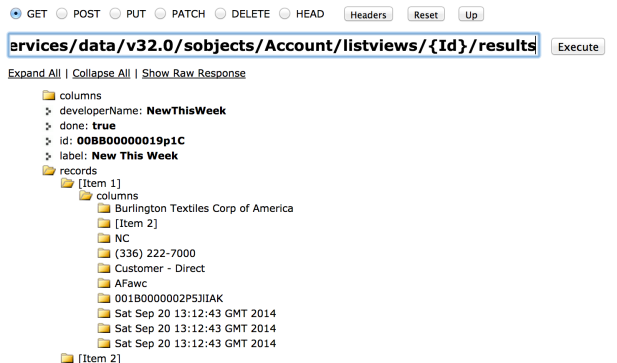
Screen Shot 2014-07-29 at 07.50.59

First I wrote some code to test the API connection, which basically made a callout to the Apex Metadata API and caught any exception. I chose to use the listMetadata API call, but it could have been any. Its not the response we are interested in here, it is if it throws an exception or not. Unfortunately there is no language neutral way of checking the lack of Remote Site Setting, so for now the assumption is any CalloutException is a result of this.

	global static Boolean checkMetadataAPIConnection()
	{
		try {
			MetadataService.MetadataPort service = new MetadataService.MetadataPort();
			service.SessionHeader = new MetadataService.SessionHeader_element();
			service.SessionHeader.sessionId = UserInfo.getSessionId();
			List<MetadataService.ListMetadataQuery> queries = new List<MetadataService.ListMetadataQuery>();
			MetadataService.ListMetadataQuery remoteSites = new MetadataService.ListMetadataQuery();
			remoteSites.type_x = 'RemoteSiteSetting';
			queries.add(remoteSites);
			service.listMetadata(queries, 28);
		} catch (System.CalloutException e) {
			return false;
		}
		return true;
	}

Next I wrote a Visualforce Controller to call this and also calculate the URL needed by the Remote Site Setting. I did this via the Host HTTP Header, as this will include in a subscriber org all of the above attributes.

public with sharing class WelcomeController {

	public String Host {get;set;}

	public String MetadataResponse {get;set;}

	public Boolean MetadataConnectionWarning {get;set;}

	public PageReference checkMetadataAPIConnection()
	{
		// Get Host Domain
		Host = ApexPages.currentPage().getHeaders().get('Host');

		// Attempt to connect to the Metadata API
		MetadataConnectionWarning = false;
		if(!RollupService.checkMetadataAPIConnection())
		{
			// ... See full GitHub code ...
			MetadataConnectionWarning = true;
		}

		return null;
	}

	public PageReference displayMetadataResponse()
	{
		// ... See full GitHub code ...
		return null;
	}
}

Finally the Visualforce page with the JavaScript callout to the Metadata API in it! The code constructs the SOAP XML, makes the call and parses the result for any errors. Before calling an apex:actionFunction to refresh the page (only the key parts of the full page are shown below).

<apex:page controller="WelcomeController"
  tabStyle="LookupRollupSummary__c"
  standardStylesheets="true"
  action="{!checkMetadataAPIConnection}">
<script>
function createRemoteSite()
{
	// Disable button
	document.getElementById('createremotesitebtn').disabled = true;
	// Calls the Metdata API from JavaScript to create the Remote Site Setting to permit Apex callouts
	var binding = new XMLHttpRequest();
	var request =
		'<?xml version="1.0" encoding="utf-8"?>' +
		'<env:Envelope xmlns:env="http://schemas.xmlsoap.org/soap/envelope/" xmlns:xsd="http://www.w3.org/2001/XMLSchema" xmlns:xsi="http://www.w3.org/2001/XMLSchema-instance">'+
			'<env:Header>' +
				'<urn:SessionHeader xmlns:urn="http://soap.sforce.com/2006/04/metadata">' +
					'<urn:sessionId>{!$Api.Session_ID}</urn:sessionId>' +
				'</urn:SessionHeader>' +
			'</env:Header>' +
			'<env:Body>' +
				'<createMetadata xmlns="http://soap.sforce.com/2006/04/metadata">' +
					'<metadata xsi:type="RemoteSiteSetting">' +
						'<fullName>dlrs_mdapi</fullName>' +
						'<description>Metadata API Remote Site Setting for Declarative Rollup Tool (DLRS)</description>' +
						'<disableProtocolSecurity>false</disableProtocolSecurity>' +
						'<isActive>true</isActive>' +
						'<url>https://{!Host}</url>' +
					'</metadata>' +
				'</createMetadata>' +
			'</env:Body>' +
		'</env:Envelope>';
	binding.open('POST', 'https://{!Host}/services/Soap/m/31.0');
	binding.setRequestHeader('SOAPAction','""');
	binding.setRequestHeader('Content-Type', 'text/xml');
	binding.onreadystatechange =
		function() {
			if(this.readyState==4) {
				var parser = new DOMParser();
				var doc  = parser.parseFromString(this.response, 'application/xml');
				var errors = doc.getElementsByTagName('errors');
				var messageText = '';
				for(var errorIdx = 0; errorIdx < errors.length; errorIdx++)
					messageText+= errors.item(errorIdx).getElementsByTagName('message').item(0).innerHTML + '\n';
				displayMetadataResponse(messageText);
			}
		}
	binding.send(request);
}
</script>
<body class="homeTab">
	<apex:form id="myForm">
		<apex:actionFunction name="displayMetadataResponse" action="{!displayMetadataResponse}" rerender="myForm">
			<apex:param name="metadataResponse" assignTo="{!metadataResponse}" value="{!metadataResponse}"/>
		</apex:actionFunction>
		<apex:sectionHeader title="Declarative Rollups for Lookups" subtitle="Welcome"/>
		<apex:pageMessages />
		<apex:outputPanel rendered="{!MetadataConnectionWarning}">
			<input id="createremotesitebtn" type="button" onclick="createRemoteSite();" value="Create Remote Site Setting"/>
		</apex:outputPanel>
	</apex:form>
</body>
</apex:page>

Its worth noting that this solution would also apply to configuring a Remote Site for other types of  Salesforce API callouts, such as Apex Tooling API, since its just the Domain part of the URL that needs to be added. Note you may need to add more Remote Sites if your also planning on calling from a Batch Apex context for example.

I’m really pleased with this implementation, but it is a little two baked into the rollup tool at present. This would make a great addition to the Apex Metadata API library (or maybe something more standalone) as a Visualforce Component for example, so that all you need to do is include the component on your welcome or post install pages to use it. Something for another day or a fellow open source developer to think about perhaps!?!

Security Review Notes: This approach has not gone through Security Review as yet. My feeling is that it should pass as there is president for calling Salesforce SOAP/REST API’s from JavaScript already and indeed was the main reason for Salesforce enabling the API endpoints from a VF domain as noted above in Summer’13. Nor does this approach bypass the CRUD, FLS or Permissions needed by such API’s, e.g. you still need to have Author Apex to permit Metadata API calls regardless of where they are called from. Finally the design approach here is user driven (e.g. they have to press abutton) rather than automated on page load (which they do generally discourage of course).


Apex Metadata API Streamlined and Simplified for Summer’14

$
0
0

Compared to past updates the Summer’14 update to the Salesforce Metadata API might not look that exciting at first glance, i know it took me a second look to get more excited! This time its perhaps whats not in it thats the most interesting and what it means for new developers trying to use this often elusive API for the first time!

Basically Salesforce have removed from API 31 onwards most of the pesky async operations. For those who read my past blog on these operations, you’ll see that they require a fair bit of work on the callers behalf to keep polling Salesforce for the results. Spring’14 introduced immediate versions of these operations alongside the old async ones, now with Summer’14 the old ones have gone completely from the WSDL! Before you panic, fear not, if your using the API 30 or below endpoints in existing solutions they are still present.

It is clear now that the Salesforce developers behind the Metadata API have been on a mission to clean it up, simplify it and make it more in alignment with how you currently use the Partner API, REST and Tooling API’s from realtime CRUD API perspective. It now also sports an upsert operation, meaning that the set of database operations you can now perform on the vast array of Metadata Component types it contains is complete! As a result it is now much easier to see what operations you need to get things done and because they are immediate your calling code is now much much simpler!

Salesforce is quite special in having an additional database operation in its terminology, known as upsert. Its is available in Apex and through its existing API’s, and now in the Metadata API. For those not familiar, it basically short cuts the need to check if a record or in this case a component already exists if your aim is to create it if it doesn’t exist or update it if it does.

		MetadataService.MetadataPort service = createService();
		MetadataService.CustomObject customObject = new MetadataService.CustomObject();
		customObject.fullName = 'Test__c';
		customObject.label = 'Test';
		customObject.pluralLabel = 'Tests Upsert';
		customObject.nameField = new MetadataService.CustomField();
		customObject.nameField.type_x = 'Text';
		customObject.nameField.label = 'Test Record Upsert';
		customObject.deploymentStatus = 'Deployed';
		customObject.sharingModel = 'ReadWrite';
		List<MetadataService.UpsertResult> results =
			service.upsertMetadata(
				new MetadataService.Metadata[] { customObject });

In addition to these methods some of the old ones still exist, indeed there is no escaping the fact that if your wanting to create or retrieve many metadata components at once the retrieve and and deploy operations are still needed, and understandably still require aysnc type handling by the caller, since they could be quite long running operations.

Upgrade Advice: As always, i’ve updated the Apex Metadata API library to reflect the very latest release of the Metadata API. So if you are upgrading to the latest MetadataService.cls be aware the older methods will also not be present. The release notes here also cover other changes and new features. If your worried about this and don’t need any new component types for an existing project my advice is to stay with the earlier one and reserve this new version for new work. Finally i’ve retired some of the samples from the Apex Metadata API library focusing on using the Async API’s in batch and in Visualforce, as these would not compile anyway, they are of course still accessible through the repos history.

Of course, with most things there is always room for improvement! The ability to be able to run SOQL queries over the Metadata objects would be most welcome, the listMetadata method is just not flexible enough. Also the ability to create Apex Class and Apex Triggers without having to resort to using the deploy operation would also be appreciated.

I think Salesforce have done an amazing job at being committed to their API true to the core strategy here and with these changes it makes it so easy to go forth and do some cool stuff with the API without the extra overhead it had previously. No excuses now! ;-)


Preview of Advanced Apex Enterprise Patterns Session

$
0
0

At this years Dreamforce i will be presenting not one, but two sessions on Apex Enterprise Patterns this year. The first will be re-run of last years session, Apex Enterprise Patterns : Building Strong Foundations. The second will be a follow on session dealing with more advanced topics around the patterns. Imaginatively entitled Advanced Apex Enterprise Patterns. The current abstract for this session is as follows…

Complex code can easily get out of hand without good design, so in this deep dive you will better understand how to apply the advanced design patterns used by highly experienced Salesforce developers. Starting with Interface & Base Class examples of OO design we quickly move on to new design features including: Application Factory, Field Level Security Support, Selector FieldSet support and Dependency Injection, Mock Testing of Services, Domain and Selector layers.​ By the end you will have a better understanding of how and when to apply these advanced Apex patterns.

If you attended the FinancialForce.com DevTalk in June this year, you will have got a sneak peak of some of the improvements being made to the supporting library for the patterns available in this repo. If you didn’t you’ll have to wait till Dreamforce! Oh go on then, i’ll give you a teaser here…

  • Introduction
  • Selector Enhancements, FieldSet and QueryFactory Support
  • Application Factory Introduction
  • Using Apex Interfaces to implement Common Service Layer Functionality
  • Introducing ApexMocks
  • Using ApexMocks with Service, Selector and Domain Layers
  • Field Level Security Experiment
  • Q&A 

I’m quite excited about all this content, but perhaps if pushed, i’d have to highlight the new Application Factory concept along with the integration with the exciting new ApexMocks library (also from FinancialForce.com R&D). This brings with it easier support for implementing polymorphic use cases in your application and the ability to mock layers of the patterns, such as Unit Of Work, Domain, Selector and Service layers. Allowing to develop true unit tests that are fast to execute by the platform and plentiful in terms of the variation of tests you’ll be able to develop without fear of extending the time your sat waiting for tests to execute!

Its is against my nature to publish a blog without a code sample in it, so i’ll leave you to ponder the following….

	public void applyDiscounts(Set<ID> opportunityIds, Decimal discountPercentage)
	{
		// Create unit of work to capture work and commit it under one transaction
	    fflib_ISObjectUnitOfWork uow = Application.UnitOfWork.newInstance();

		// Query Opportunities
		List<Opportunity> oppRecords =
			OpportunitiesSelector.newInstance().selectByIdWithProducts(opportunityIds);

		// Apply discount via Opportunties domain class behaviour
		IOpportunities opps = Opportunities.newInstance(oppRecords);
		opps.applyDiscount(discountPercentage, uow);

		// Commit updates to opportunities
		uow.commitWork();
	}

Here is a more generic service layer example, leveraging polymorphic Domain classes!

	public void generate(Set<Id> sourceRecordIds)
	{
		// Create unit of work to capture work and commit it under one transaction
		fflib_ISObjectUnitOfWork uow = Application.UnitOfWork.newInstance();

		// Invoicing Factory helps domain classes produce invoices
		InvoicingService.InvoiceFactory invoiceFactory = new InvoicingService.InvoiceFactory(uow);

		// Construct domain class capabile of performing invoicing
		fflib_ISObjectDomain domain =
			Application.Domain.newInstance(
				Application.Selector.selectById(sourceRecordIds));
		if(domain instanceof InvoicingService.ISupportInvoicing)
		{
			// Ask the domain object to generate its invoices
			InvoicingService.ISupportInvoicing invoicing = (InvoicingService.ISupportInvoicing) domain;
			invoicing.generate(invoiceFactory);
			// Commit generated invoices to the database
			uow.commitWork();
			return;
		}

		// Related Domain object does not support the ability to generate invoices
		throw new fflib_Application.ApplicationException('Invalid source object for generating invoices.');
	}

This last example shows how ApexMocks has been integrated into Application Factory concept via the setMock methods. The following is true test of only the service layer logic, by mocking the unit of work, domain and selector layers.

	@IsTest
	private static void callingServiceShouldCallSelectorApplyDiscountInDomainAndCommit()
	{
		// Create mocks
		fflib_ApexMocks mocks = new fflib_ApexMocks();
		fflib_ISObjectUnitOfWork uowMock = new fflib_SObjectMocks.SObjectUnitOfWork(mocks);
		IOpportunities domainMock = new Mocks.Opportunities(mocks);
		IOpportunitiesSelector selectorMock = new Mocks.OpportunitiesSelector(mocks);

		// Given
		mocks.startStubbing();
		List<Opportunity> testOppsList = new List<Opportunity> {
			new Opportunity(
				Id = fflib_IDGenerator.generate(Opportunity.SObjectType),
				Name = 'Test Opportunity',
				StageName = 'Open',
				Amount = 1000,
				CloseDate = System.today()) };
		Set<Id> testOppsSet = new Map<Id, Opportunity>(testOppsList).keySet();
		mocks.when(domainMock.sObjectType()).thenReturn(Opportunity.SObjectType);
		mocks.when(selectorMock.sObjectType()).thenReturn(Opportunity.SObjectType);
		mocks.when(selectorMock.selectByIdWithProducts(testOppsSet)).thenReturn(testOppsList);
		mocks.stopStubbing();
		Decimal discountPercent = 10;
		Application.UnitOfWork.setMock(uowMock);
		Application.Domain.setMock(domainMock);
		Application.Selector.setMock(selectorMock);

		// When
		OpportunitiesService.applyDiscounts(testOppsSet, discountPercent);

		// Then
		((IOpportunitiesSelector)
			mocks.verify(selectorMock)).selectByIdWithProducts(testOppsSet);
		((IOpportunities)
			mocks.verify(domainMock)).applyDiscount(discountPercent, uowMock);
		((fflib_ISObjectUnitOfWork)
			mocks.verify(uowMock, 1)).commitWork();
	}

All these examples will be available in the sample application repo once i’ve completed the prep for the session in a few weeks time.

Sadly the FinancialForce.com session on ApexMocks was not selected for Dreamforce 2014, however not to worry! FinancialForce.com will be hosting a DevTalk event during Dreamforce week where Jesse Altman will be standing in for the library author Paul Hardaker (get well soon Paul!), book your place now!

Finally, if you have been using the patterns for a while and have a question you want to ask in this session, please feel free to drop your idea into the comments box below this blog post!


Super ListView Viewer using Winter’15 ListView API

$
0
0

Salesforce continues its drive to push out great platform API’s, while Winter’15 was a little lighter than usual, the List View API did catch my eye! It’s available currently in SOAP and REST flavours, sadly as yet no Apex, though I’ve seen Salesforce follow up in later releases with Apex support, so fingers crossed! This omission didn’t stop me exploring the REST variant via Visualforce and JQuery!

I’ve written a few applications that leverage List Views to provide a readily available filter criteria for various uses. One approach used the StandardSetController in Apex (via the setFilterId method) and another by reading the object definition (using Metadata API), parsing the List View definition and building my own SOQL query! This later strategy can now be replaced with the new List View API, as amongst giving you the List View definition and the records behind it, you also get hold of the SOQL query Salesforce uses as well!

The REST API version provides the following resources to call..

  • /services/data/v32.0/sobjects/Account/listviews – Lists the List Views associated with the object and their Id’s (click the link to try it out in Developer Workbench!). Documentation here.
    listviewlistviews
  • /services/data/v32.0/sobjects/Account/listviews/{Id}/describe – Returns the definition of the List View and the SOQL! Documentation here.
    listviewdescribe
  • /services/data/v32.0/sobjects/Account/listviews/{Id}/results – Returns the column definitions of the List View and the records it returns. Documentation here.
    listviewresults

While exploring the SOQL used by ListViews, i noticed something i had not seen before in the SOQL syntax, the USING SCOPE clause, also new to Winter’15. Recently View Accounts and My Accounts views leverage this new clause…

SELECT name, site, billingstate, phone, tolabel(type), 
  owner.alias, id, createddate, lastmodifieddate, systemmodstamp 
FROM Account 
USING SCOPE mru 
ORDER BY Name ASC NULLS FIRST, Id ASC NULLS FIRST

The above shows ‘mru’ and the following example shows ‘mine’…

SELECT name, site, billingstate, phone, tolabel(type), 
  owner.alias, id, createddate, lastmodifieddate, systemmodstamp 
FROM Account 
USING SCOPE mine 
ORDER BY Name ASC NULLS FIRST, Id ASC NULLS FIRST

The documentation is a bit weak presently on the other values, this knowledge base article, lists Everything, Mine, Queue, Delegated, MyTerritory, MyTeamTerritory or Team, but not MRU at present.

So to give these API’s a better shake down i decided to flex my JavaScript side this time, knowing that its possible to call these API’s from the Visualforce Domain without issue, its a matter of making a JavaScript call and interpreting the results. Thus Super ListView Viewer was born! With a little help from the frankly amazing JQuery plugin known as DataTable, which replicates as far as I can see the standard List View UI and then some!

This page allows you to select any object and if it has associated List View’s view them!

screenshot

JQuery provices some excellent AJAX support, this code reads the SOQL query and displays it on the page…

// List View describe to take a look at the SOQL!
$.ajax({
	url : '/services/data/v32.0/sobjects/' + objectName + '/listviews/' + listViewId + '/describe', 
	headers : { 'Authorization' : 'Bearer {!$Api.Session_ID}' },
	datatype : 'json', 
	success : function(data, textStatus, jqXHR) {					
		$('#soql').text(data.query);
	}
});

This code builds a regular HTML table and then in a single line turns it into the amazing DataTable, I was quite amazed when i added this library, seriously cool!

// Call the List View API to get the results (also includes column definitions)
$.ajax({
	url : '/services/data/v32.0/sobjects/' + objectName + '/listviews/' + listViewId + '/results', 
	headers : { 'Authorization' : 'Bearer {!$Api.Session_ID}' },
	datatype : 'json', 
	success : function(data, textStatus, jqXHR) {					

		// Clear current List View info
		$('#listview').empty();

		// Create the table and add columns
		var table = $('<table></table>');
		var thead = $('<thead></thead>');
		var theadtr = $('<tr></tr>');					
		table.appendTo('#listview');					
		table.append(thead);
		thead.append(theadtr);
		$.each(data.columns, function(index, column) {
			if(!column.hidden)
				theadtr.append($('<th>' + column.label + '</th>'));
		});

		// Add the rows
		var tbody = $('<tbody></tbody>');
		table.append(tbody);
		$.each(data.records, function(rowIndex, record) {
			var tbodytr = $('<tr></tr>');					
			tbody.append(tbodytr);
			$.each(record.columns, function(colIndex, column) {
				if(!data.columns[colIndex].hidden)
					tbodytr.append($('<td>' +
					 (record.columns[colIndex].value!=null ? 
					  record.columns[colIndex].value : '') + '</td>'));
			});
		});

		// Enhance this boring old HTML table with JQuery DataTable!
		var dataTable = table.DataTable();
	    }
	});
});

You can find the full source code for this here. Of course if you had need to call this API from Apex, you can make an outbound HTTP callout, after having set up the Remote Site to allow Salesforce to call itself…

Enjoy!


Viewing all 127 articles
Browse latest View live